What is ERP?
At its core, an ERP is an application that automates business processes, and provides insights and internal controls, drawing on a central database that collects inputs from departments including accounting, manufacturing, supply chain, sales, marketing and human resources (HR).
Once information is compiled in that central database, leaders gain cross-departmental visibility that empowers them to analyze various scenarios, discover process improvements and generate major efficiency gains. That translates to cost savings and better productivity as people spend less time digging for needed data.
ERP software that’s tailored to meet the needs of an individual business pays major dividends, making these systems a critical tool for companies across industries and of all sizes. Many of the world’s best-known and most successful firms have leaned on ERP for the last quarter century. Now, this software can be configured and priced to meet the needs of all-size businesses.
Contact us for more details
Why Is ERP Important for Businesses?
ERP systems have become table stakes for businesses looking to use resources wisely. They can help leaders reallocate human and financial capital or build more efficient processes that save money without sacrificing on quality or performance.
An ERP is also an asset when it comes to planning and coordination. Employees can see current available inventory and customer orders in detail, then compare supplier purchase orders and forecasted future demand. If necessary, they can make adjustments to head off problems. ERP software improves communication and collaboration as well because workers can check on the status of other departments to guide their own decisions.
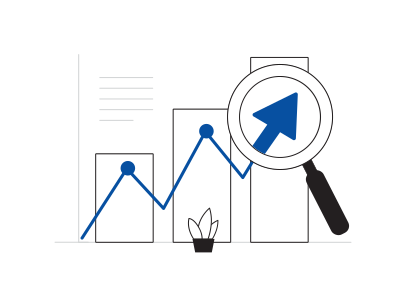
As a comprehensive source of data, an ERP system also provides a host of reports and analytics that can be difference-makers for the business. Turning a vast trove of information into charts and graphs that clearly illustrate trends and help model possible results is an ERP capability executives find invaluable.
How Does an ERP System Work?
ERP systems work by using a defined, standard data structure. Information entered by one department is immediately available to authorized users across the business. This uniform structure helps keep everyone on the same page. For example, say a local food distribution chain has multiple locations that often share stock and personnel. As quality, sales and employee data from these sites is fed into the ERP system, it’s formatted to indicate which location it comes from.
Data is then woven into business processes and workflows across departments. Leaders can see if one location is doing significantly better at avoiding spoilage than a sister site a few towns over and work to figure out why, while operations can make sure staffing levels align with traffic patterns. Finance can compare sales to rents to help executives decide whether to consolidate.
ERP systems deliver the most value when a company has modules for each major business function and ensures timely, accurate data entry. And, the more stakeholders have access, the better.
When a company uses business systems from multiple vendors, integrations are generally possible to make data automatically flow into the ERP. This data can then be used throughout the ERP instance to benefit any process or workflow.
When You Need ERP?
While ERP software was initially designed for enterprises—as the name indicates—today’s cloud-based software-as-a-service (SaaS) ERP offerings have lowered barriers to entry and helped countless emerging and midsize companies increase their efficiency, visibility and, in turn, profitability.
So how do you know if ERP is for you?
All companies should regularly review their current technology and ask: Is our technology helping—or holding us back? When outdated or inadequate systems introduce inefficiencies, muddy the data waters or can’t support changes the business wants to make, it’s time to look for a new solution.
Other signs it’s time for a change: Inaccurate data, a lack of integration among systems, high error rates and over-reliance on email and spreadsheets. Although there are costs that come with purchasing and deploying ERP software, it often delivers a quick return on investment.
Key Features of ERP systems
There are a few fundamental features that make an ERP system an ERP system and distinguish it from other types of software
Common database
Consistent UX/UI
Business process integration

Automation
Data analysis
| Advantages | Dis Advantages |
|---|---|
| Cost savings | System cost |
| Workflow visibility | Need for training |
| Reporting/analytics | Data conversion costs |
| Business insights/intelligence | Complexity |
| Regulatory compliance & data security | Maintenance |
| Risk management | Doesn’t solve process and policy issues |
| Data security | - |
| Collaboration | - |
| Scalability | - |
| Flexibility | - |
| Customization | - |
| Customer & partner management | - |
ERP Systems by Business Size
Small-business ERP
Midsize-business ERP
Enterprise ERP
ERP Modules
Finance
A finance module, the foundation of just about every ERP system, manages the general ledger and all financial data. It tracks every transaction, including accounts payable (AP) and accounts receivable (AR), and handles reconciliations and financial reporting.
Procurement
The procurement module manages purchasing, whether raw materials or finished goods. It can automate requests for quotes and purchase orders and, when linked to demand planning, minimize overbuying and underbuying.
Manufacturing
Manufacturing can be complicated, and this module helps companies coordinate all the steps that go into making products. The module can ensure production is in line with demand and monitor the number of in-progress and finished items.
Inventory management
An inventory management module shows current inventory levels down to the SKU level and updates those numbers in real time. It also measures key inventory-related metrics. Any products-based company needs this module to optimize stock on-hand based on current and forecasted demand.
Order management
This application monitors and prioritizes customer orders from all channels as they come in and tracks their progress through delivery. An order management module can speed fulfillment and delivery times and improve the customer experience.
Warehouse management
A warehouse management module directs warehouse activities like receiving, picking, packing and shipping. It can generate time and cost savings in the warehouse by identifying more efficient ways to execute these tasks.
Customer relationship management (CRM)
CRM is a popular module for businesses in a wide range of industries. It tracks all communications with clients, assists with lead management and can enhance customer service and boost sales.
Professional services automation (PSA)
Services businesses often utilize a professional services automation (PSA) module to plan and track projects, including the time and resources spent on them. It can simplify client billing and encourage collaboration among staff members working on a project.
Workforce management (WFM)
A workforce management (WFM) module keeps track of attendance and hours worked, and some can also manage payroll. This tool can record absenteeism and productivity by department, team and individual employee.
Human resources management (HRM)
A human resources management (HRM) or human capital management (HCM) module version of a WFM module. It keeps employee records with detailed information, like available PTO and performance reviews, and can tease out workforce trends in various departments or demographics.
Ecommerce
An ecommerce module allows retailers and brands to manage the back- and front-ends of their online stores. They can change the site look and feel and add and update product pages with this application.
Marketing automation
This module manages marketing efforts across all digital channels—email, web, social—and enables organizations to optimize and personalize their messaging. A marketing automation tool can boost leads, sales and customer loyalty.